 WinDock
 VMDock
Independent macOS and Linux systems on your Mac
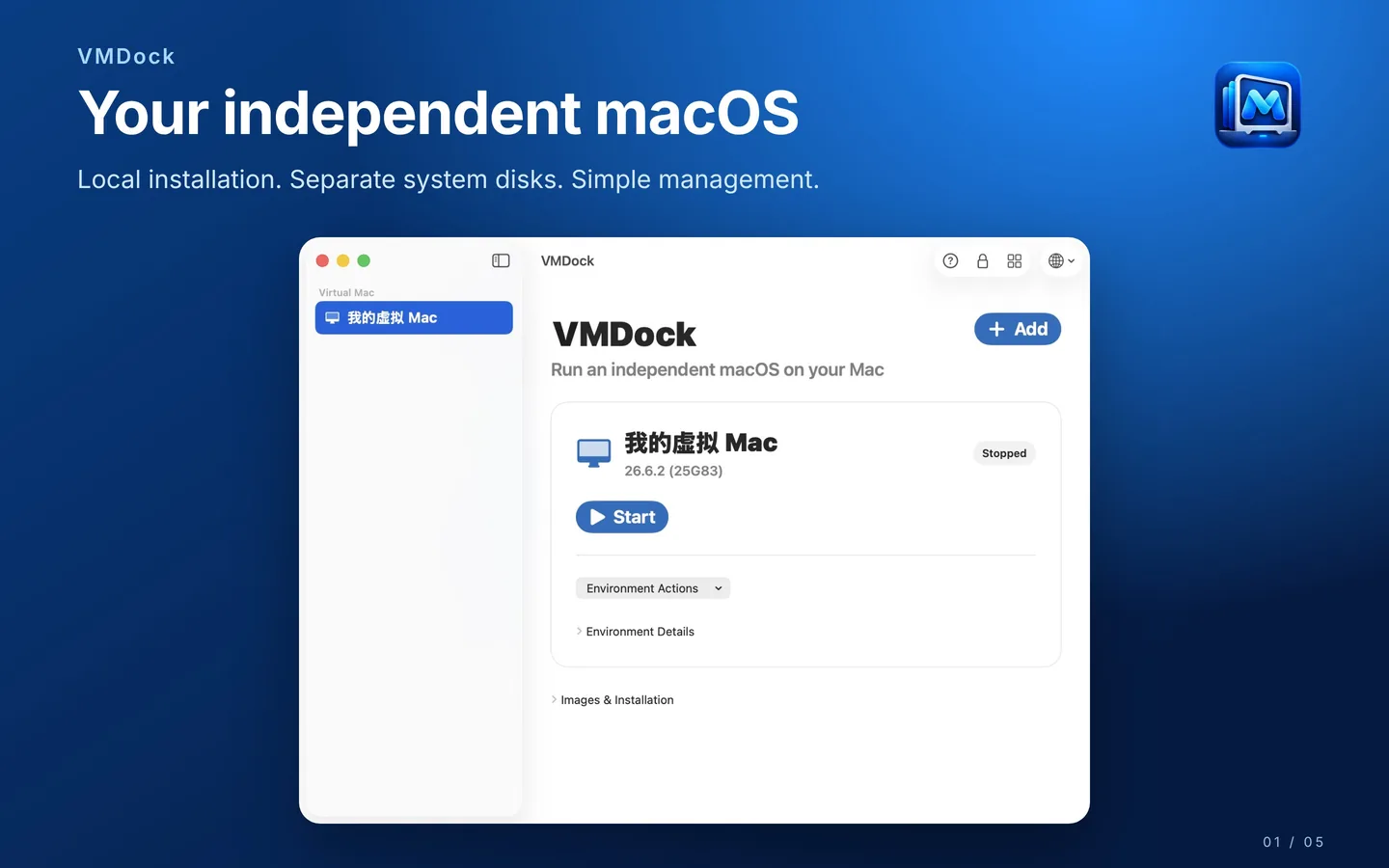
VMDock creates and runs local macOS and Linux virtual machines on Apple Silicon. Try new software, system versions and risky settings in a separate system — and return to a saved checkpoint when you are done.
7-day free trial · One-time purchase · No subscription
Everything you need to test safely
macOS, downloaded for you
Download a macOS restore image from Apple inside VMDock, or install from an IPSW you already have. An interrupted download continues next time.
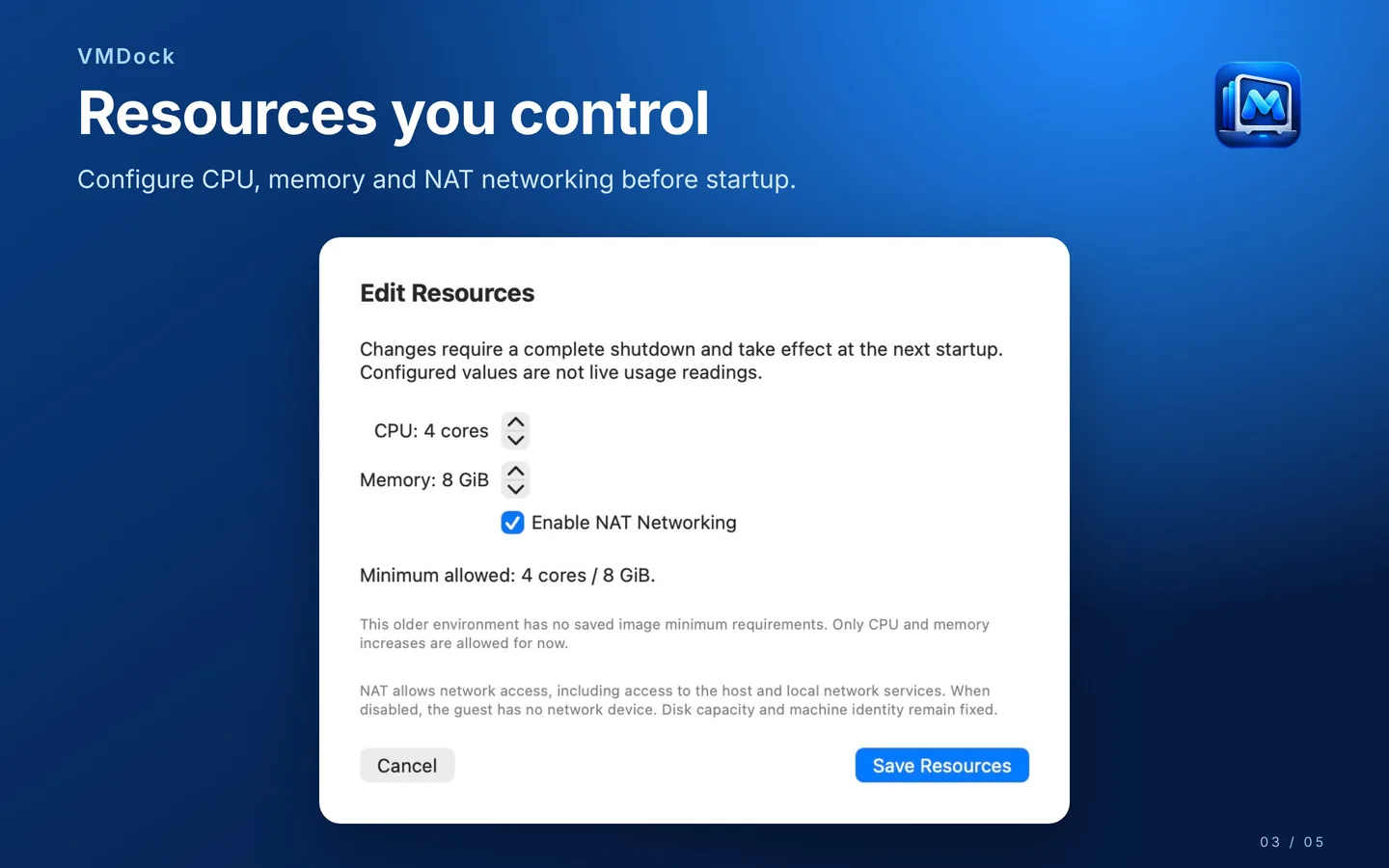
Resources you control
Set CPU cores, memory, disk capacity and NAT networking before starting.
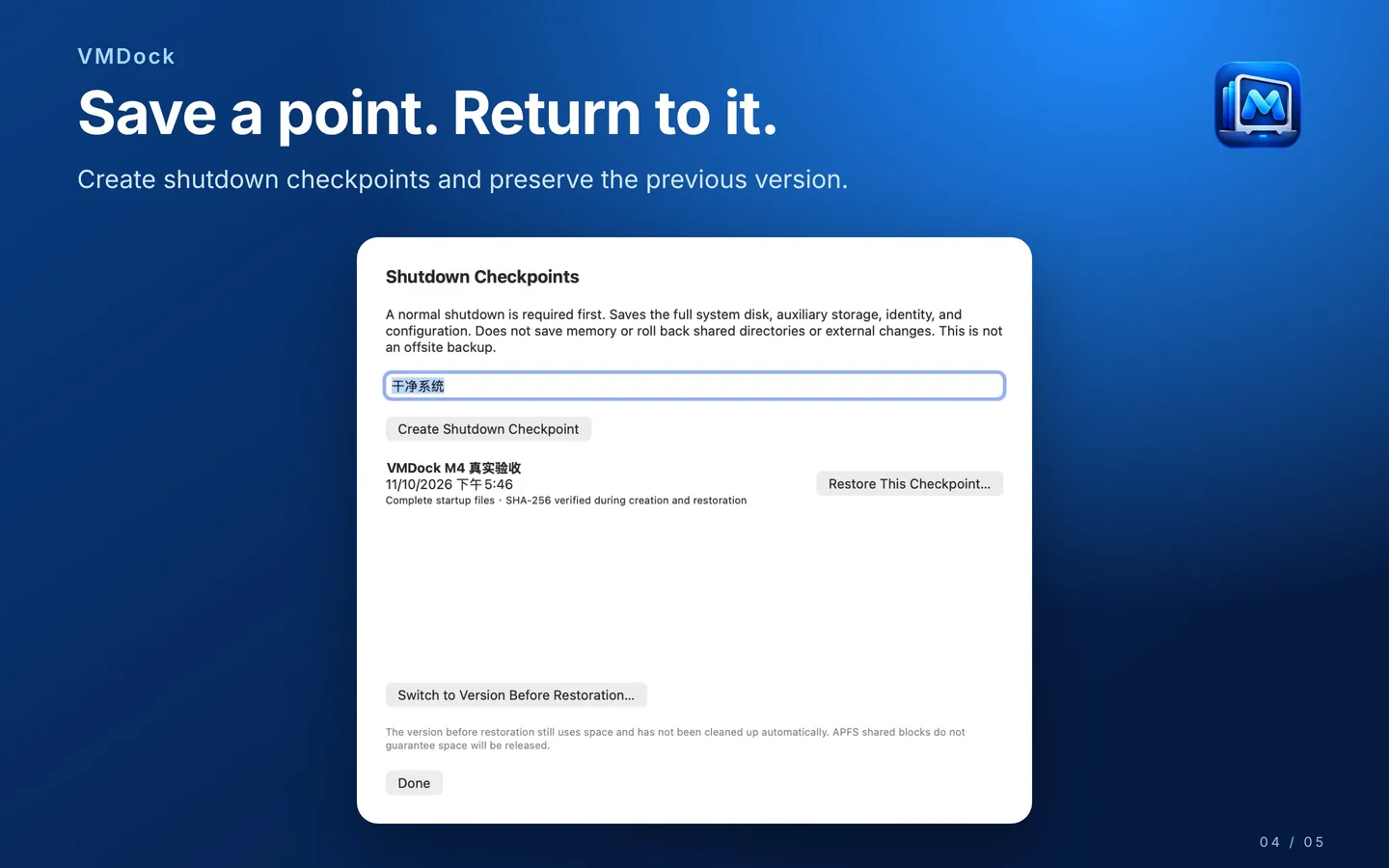
Shutdown checkpoints
Save a checkpoint after a clean shutdown and restore it later into a new version, while keeping the previous one.
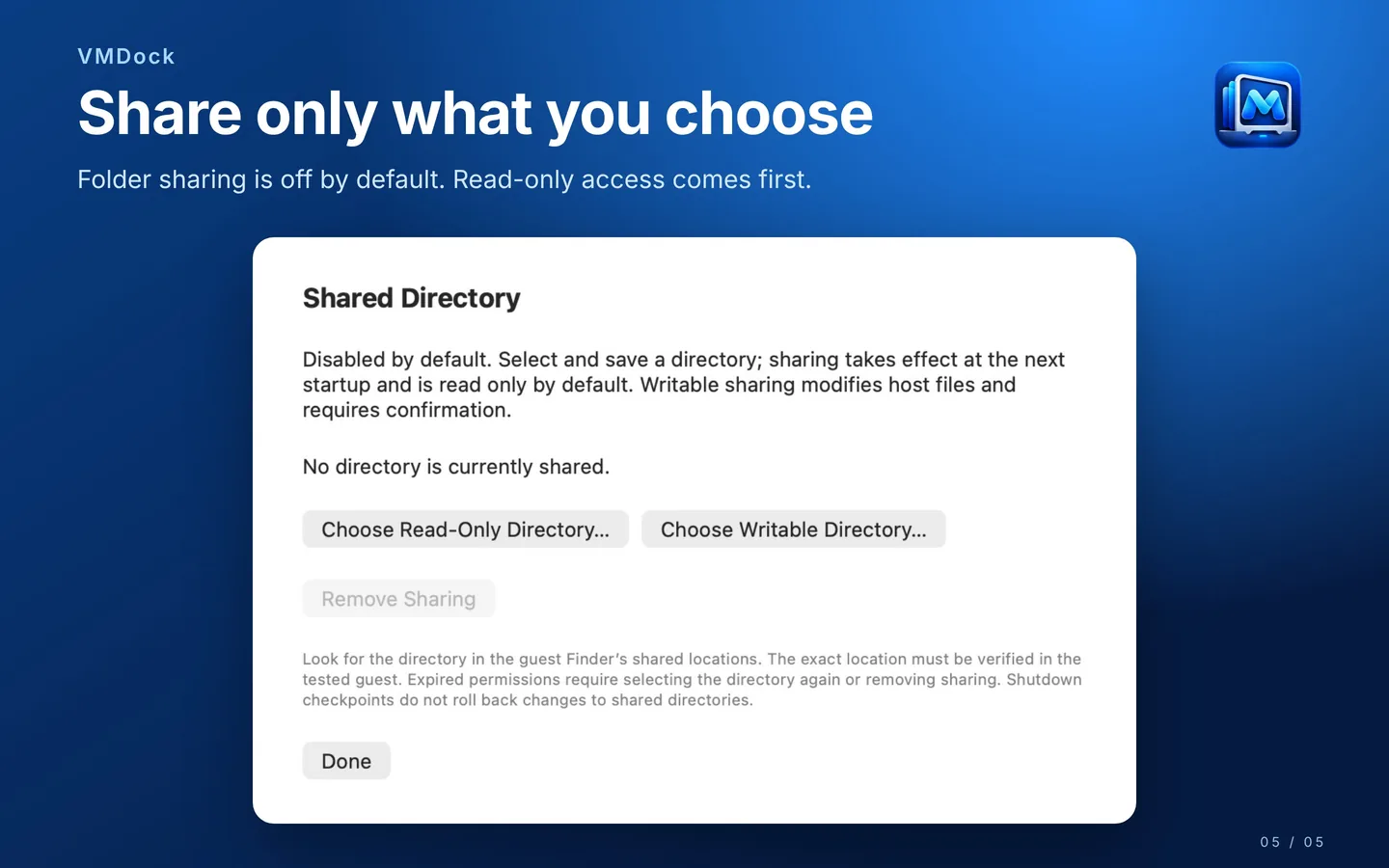
Share only what you choose
Folder sharing is off by default. When you share a folder, it starts read-only.
Simple controls
Start, pause, resume and request a normal shutdown. Closing the window hides the session without stopping it.
Stays on your Mac
Virtual machine files and diagnostics stay local. No automatic upload.
Linux in one click
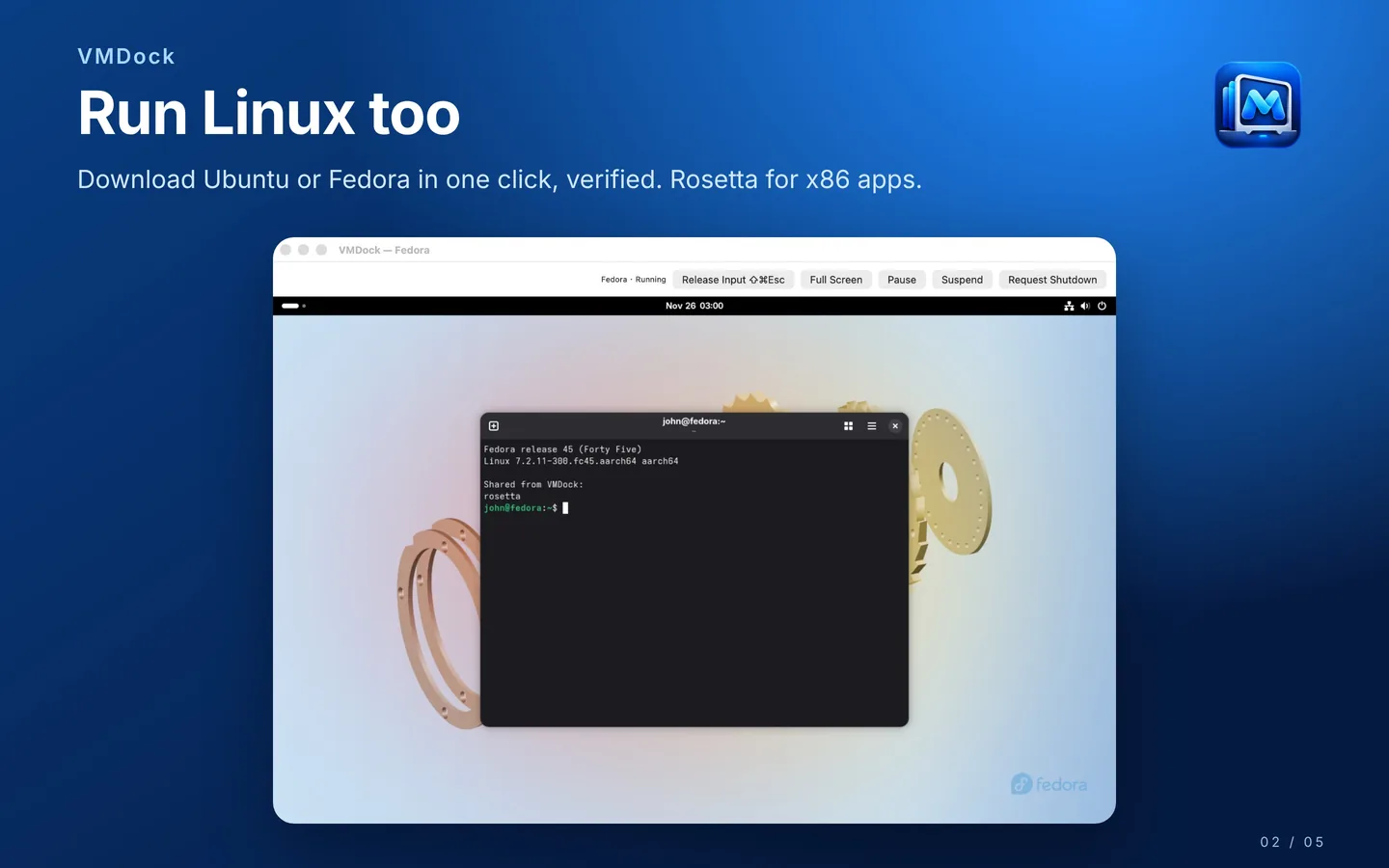
Download Ubuntu LTS or Fedora Workstation for ARM64 inside VMDock; the image is verified against the distribution's official checksums. Or use another ARM64 Linux installer ISO.
Linux that works with your Mac
Shared folders, clipboard sharing and sound, plus Rosetta to run x86 Linux programs.
Suspend, duplicate, restore
Suspend an environment to disk and continue later, duplicate it as an independent copy, and use checkpoints — for macOS and Linux alike.
How it works
Choose a system
Add macOS (downloaded from Apple or from your own IPSW), Ubuntu, Fedora or another ARM64 Linux installer.
Set resources
Pick CPU cores, memory and disk size for the new environment.
Install and test
Complete the system's setup, then try software and settings freely.
Save a checkpoint
Shut down normally and save a checkpoint you can return to later.
Try for 7 days, keep it with one purchase
Claim the free 7-day trial for full access. A separate one-time lifetime purchase is US$9.99 in the US storefront; local prices are shown by the App Store. No subscription and no automatic charge.
Requirements
- A Mac with Apple Silicon (M1 or later)
- macOS 14 Sonoma or later
- A macOS restore image or an ARM64 Linux installer — VMDock can download macOS, Ubuntu and Fedora for you
- Enough memory and free disk space for the virtual machine
Good to know
- Apple's virtualization allows up to two macOS virtual machines to run at the same time on one Mac.
- Some Apple services and hardware-dependent features are not available inside virtual machines.
- Checkpoints do not replace independent backups. Follow Apple's macOS license terms.
- Ubuntu and Fedora are trademarks of their respective owners. VMDock is independent software and is not affiliated with or endorsed by them.
Related guides
Frequently asked questions
Which Linux distributions can I run?
VMDock downloads the latest Ubuntu LTS desktop and Fedora Workstation for ARM64 for you. Other ARM64 distributions can be installed from their installer ISO. x86-only installers cannot be used.
Can Linux in VMDock run x86 programs?
Yes, with Rosetta. VMDock makes Rosetta available to the Linux system so that x86-64 Linux programs can run; the in-app Help explains how to turn it on.
Can I run older macOS versions?
You can install any macOS version whose restore image is compatible with your Mac and the virtualization framework. Very old Intel-only versions cannot run on Apple Silicon.
What is a checkpoint?
A saved copy of the system disk, auxiliary storage, machine identity and configuration, taken after a clean shutdown. Restoring creates a new version and keeps the previous one.
Can I sign in with my Apple Account in the virtual machine?
Some Apple services are not available inside macOS virtual machines. Plan to test without features that depend on them.
How many virtual machines can I run?
You can keep several environments, but Apple allows at most two macOS virtual machines running at the same time.
Is VMDock a subscription?
No. It has a 7-day free trial and a one-time lifetime purchase.
Is VMDock the same app as MacDock?
Yes. MacDock was renamed VMDock with version 1.1. It is the same app from the same developer; existing environments, checkpoints and purchases carry over.